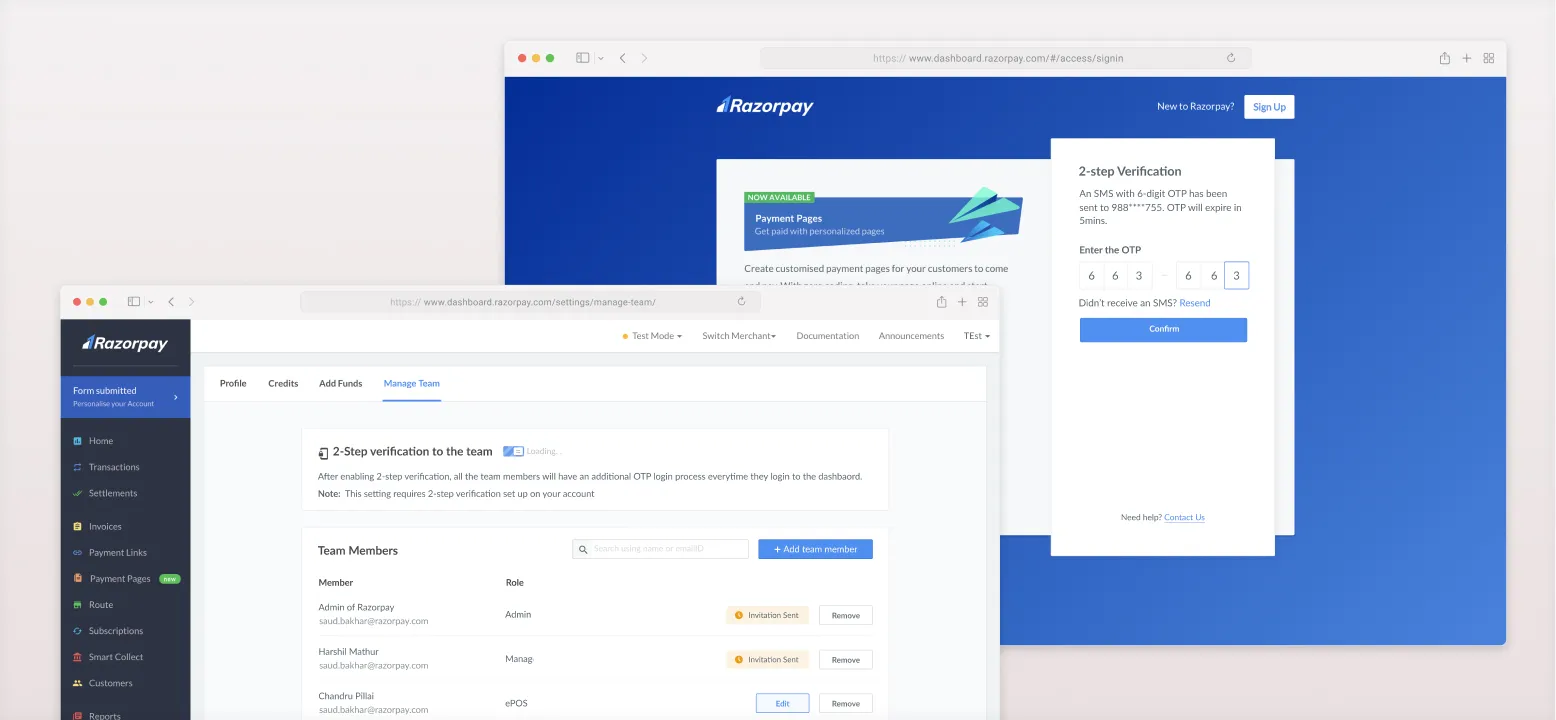
Razorpay is India's prominent payment gateway and financial technology company that provides solutions for online businesses to facilitate transactions. As part of its services, Razorpay offers a merchant dashboard, which serves as a critical resource for businesses, allowing them to initiate transactions, process refunds, and access sensitive data such as revenue, pricing, and customer information.
The increasing importance of Razorpay’s merchant dashboard raised concerns about data security. With the potential for large transactions and the accessibility of sensitive data, there was a need to enhance the security features of the platform. The decision to implement 2-factor authentication (2FA) was driven by the imperative to safeguard critical data and ensure that only authorized users could access and perform actions within the dashboard.
Razorpay’s merchant dashboard was becoming a critical resource, and its scope was expanding:
Improve merchant data security by provide an option for 2 step verification during the user login at the same time maintaining the ease of use
We started out running the project in a typical way:
Brief → List down cases → Look at References → Paper wireframes → Flow chart → Design flows → Document the flows → Review & Delivery.
The design process involved a meticulous examination of user journeys and a thorough consideration of potential scenarios. We had different types of users to whom separate flows needed to be considered.
To also gather insights around steps needed in 2FA, I looked at references from other products that already implemented 2FA. Screenshots of 2FA processes from these products were collected and analyzed, aiding in the formulation of effective solutions. I had created a separate page on Figma and started adding screenshots of 2FA process of these products.
Later on, we tried running rough wireframes, few paper sketches to see if we were doing the right thing and solving all the cases.
The team rigorously mapped user flows with designs and documented all user journeys and flows in the design specifications to ensure thorough coverage of cases.
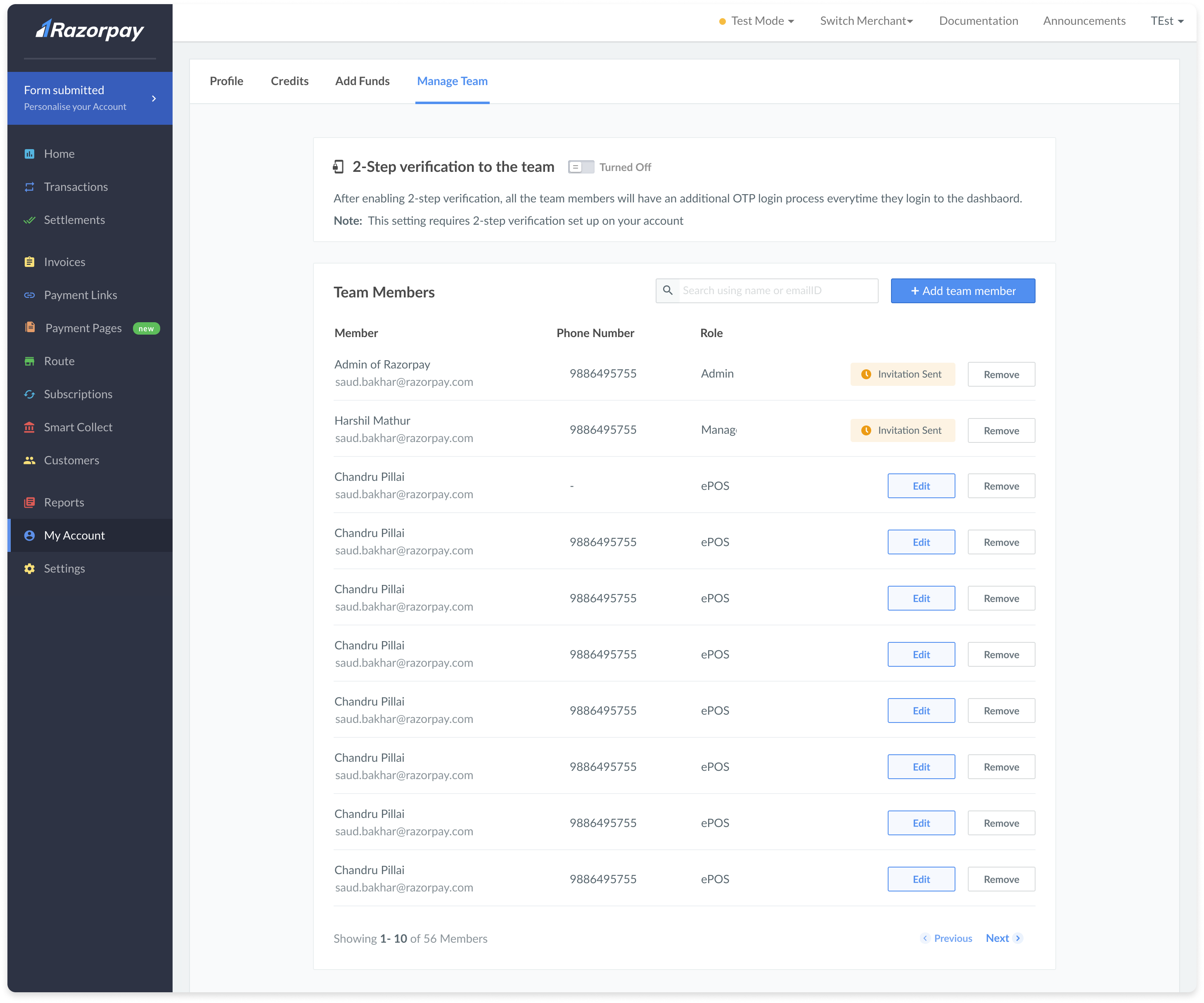
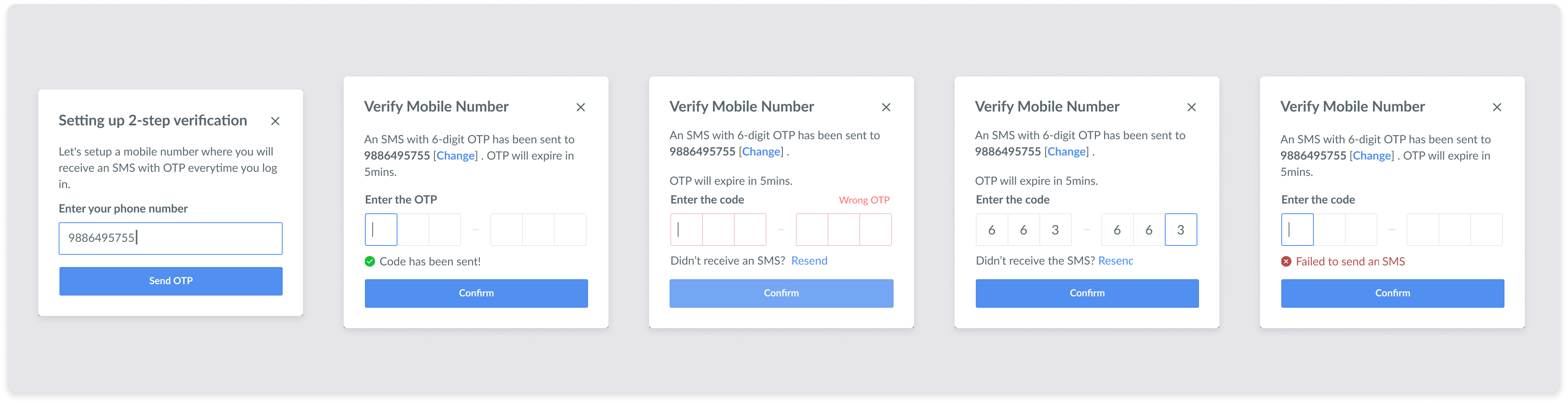
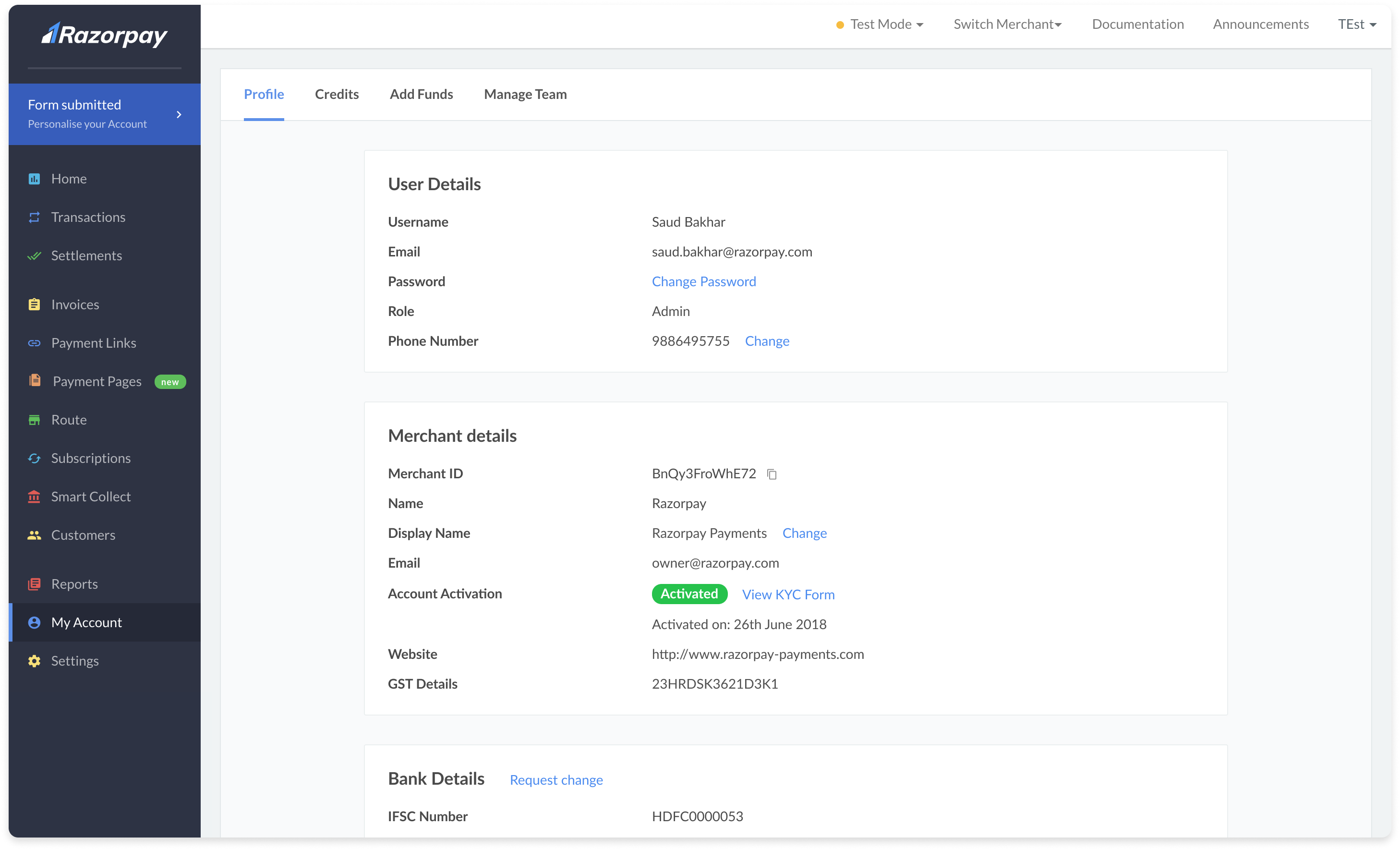
With major changes happening on Manage Team page and User profile page I took the opportunity to restructure and redesign these pages. With this we were successful in delivering smaller changes also along with 2FA project.
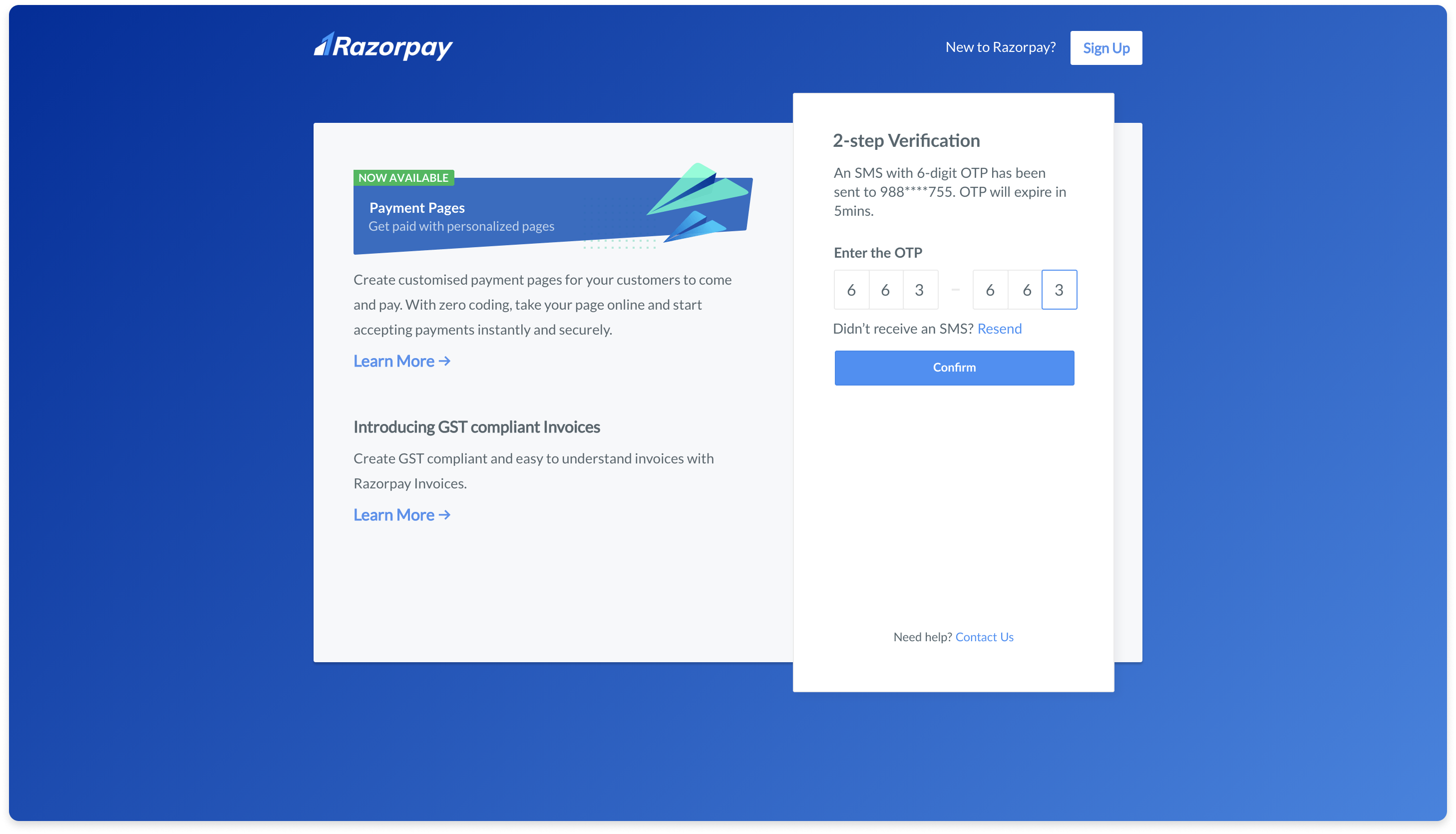
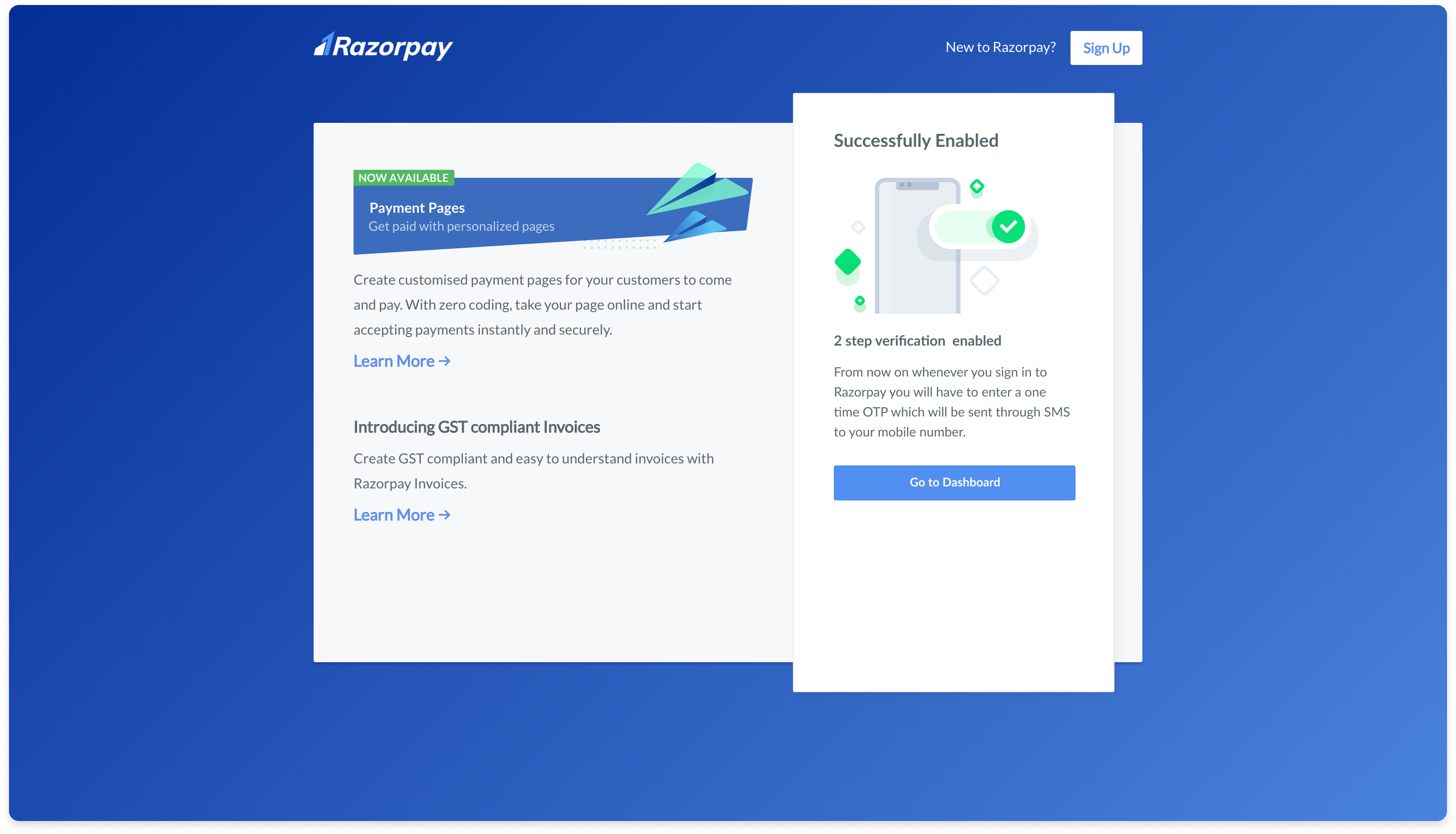
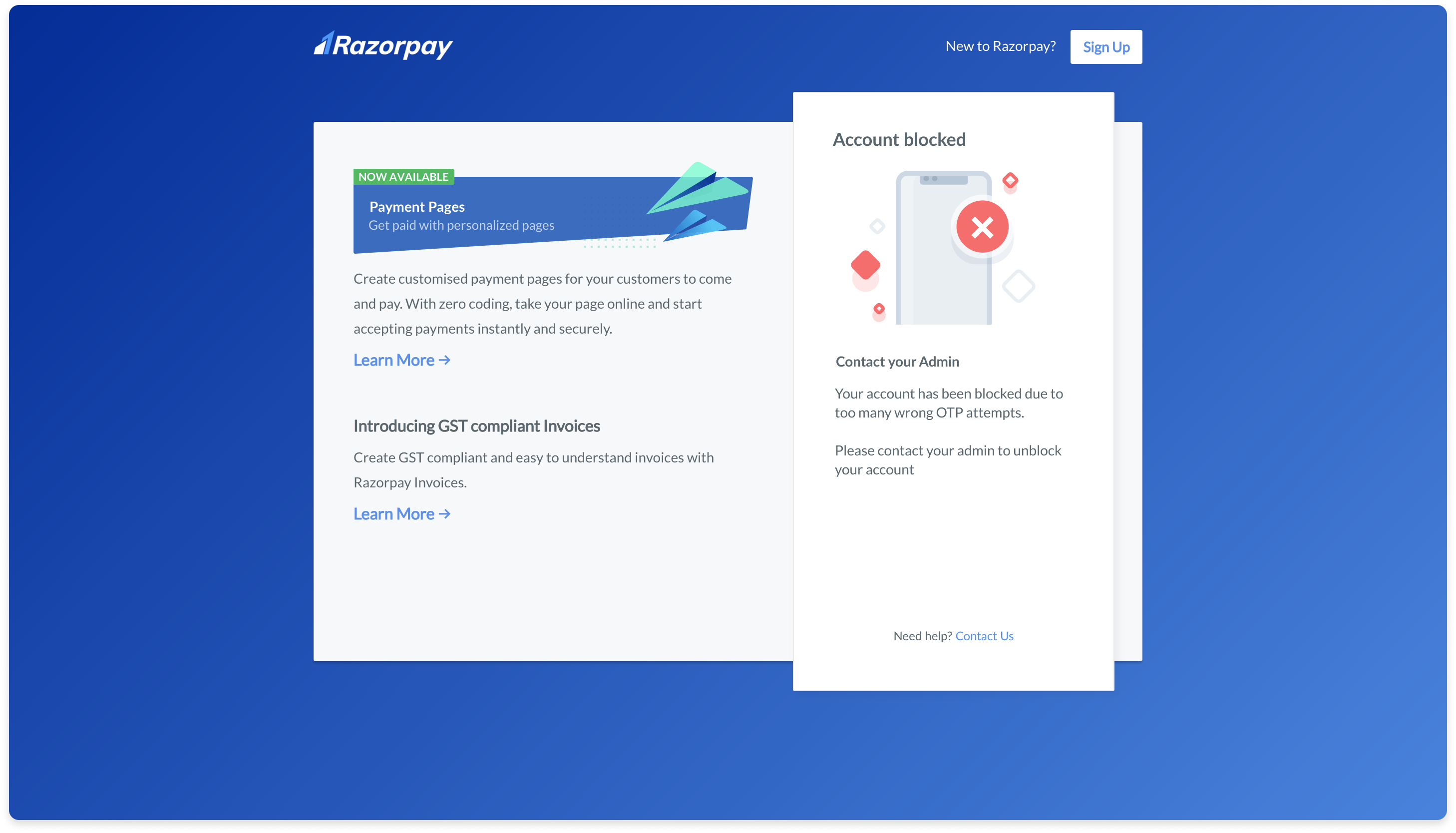
Working on the 2FA project highlighted the complexity and importance of meticulous planning, considering various user scenarios, and documenting thoroughly. Missing even one case could jeopardize the success of the project. This experience emphasized the need for a robust process, including continuous communication with the tech team and a comprehensive design specification to ensure a successful implementation.
The project resulted in an improved user experience, ensuring that security measures were in place without compromising the overall usability of the merchant dashboard.
The design process led to significant changes in the Manage Team and User Profile pages, providing an opportunity to not only integrate 2FA seamlessly but also to restructure and redesign these sections.